
Quick answer: In 2026, Suno’s v6 models can generate songs up to 8 minutes long, and you can set length with the duration slider on the web. Uploads can be up to 8 minutes on Free and Pro and up to 30 minutes on Premier. A standard generation uses about 10 credits for two songs. Free users get 50 credits a day and no downloads; Pro gets 2,500 credits and 20 downloads a month; Premier gets 10,000 credits and 60 downloads, plus unlimited Studio exports. Lyrics and style fields allow several thousand and around a thousand characters respectively, though shorter usually works better.
Limits change as Suno updates its plans and models, so always confirm on Suno’s official pricing page and help centre.
Suno limits at a glance
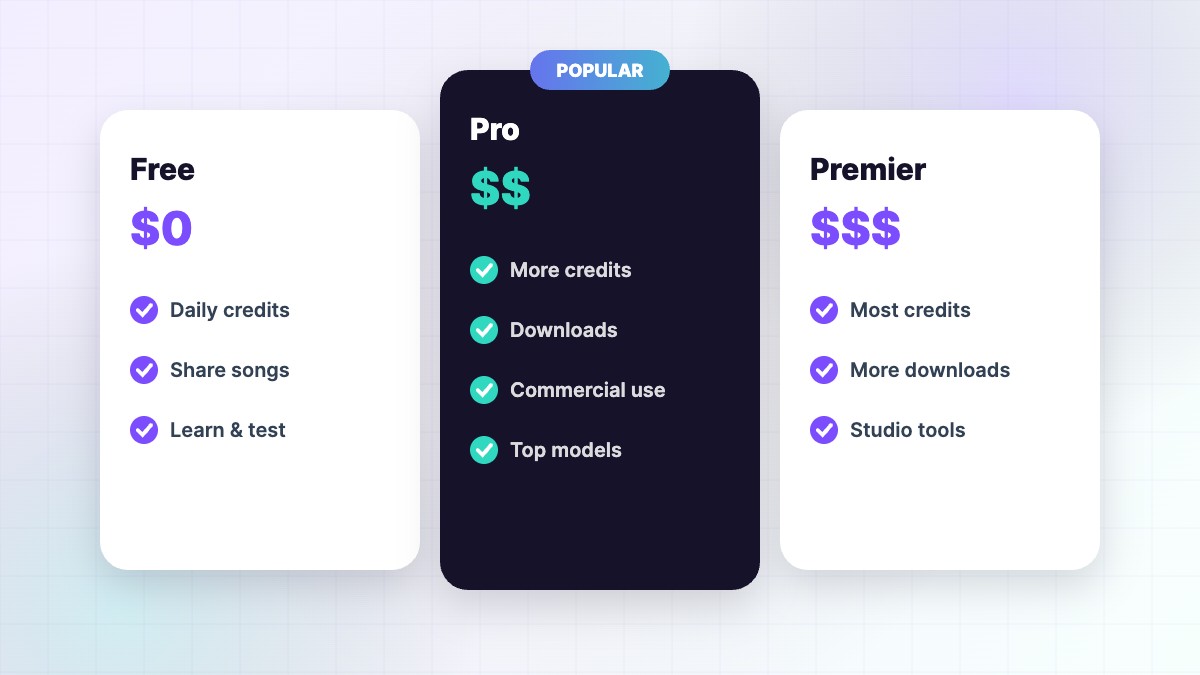
| Limit | Free | Pro | Premier |
|---|---|---|---|
| Credits | 50/day | 2,500/month | 10,000/month |
| Models | v6-mini | v6, v6-wild, v6-mini | v6, v6-wild, v6-mini |
| Max length per generation | Up to 8 min | Up to 8 min | Up to 8 min |
| Upload length | Up to 8 min | Up to 8 min | Up to 30 min |
| Song downloads | None | 20/month | 60/month |
| Studio exports | — | — | Unlimited |
| Commercial use | No | Yes | Yes |
Song length
With the v6 family, all three models support up to 8 minutes per generation. Earlier models produced shorter songs, which is why many older guides talk about extending in steps. On the web, the duration slider in the Create form lets you set a target length. For longer works — DJ mixes, ambient pieces, full soundtracks — use extend or join tracks in an editor. Remember that a long song with short lyrics will include long instrumental sections, so plan your structure. See Suno v6 explained.
Lyrics length
The lyrics box allows several thousand characters, but very long lyrics often get rushed, skipped or cut off. For a 2–4 minute song, 150–300 words is a good range. If you need more words, make a longer song with the duration slider or split the story across extensions. Clear section tags help Suno pace the lyrics. Tips in our Suno lyrics guide.
Style field length
The Style field accepts around a thousand characters in many versions, but the best prompts are short: 4–10 descriptors. Long paragraphs dilute the important words. Put the genre first and add the vocal, two or three instruments, mood and tempo. See Suno style prompts.
Credits per song
A standard generation costs about 10 credits and gives you two songs. Extensions, covers, edits and some advanced features also use credits. That means:
| Plan | Approx. generations | Approx. songs |
|---|---|---|
| Free (50/day) | 5 per day | 10 per day |
| Pro (2,500/month) | 250 per month | 500 per month |
| Premier (10,000/month) | 1,000 per month | 2,000 per month |
Real numbers are lower if you extend and edit a lot. Full breakdown: Suno credits explained.
Upload limits
You can upload your own audio — voice memos, demos, instruments — to cover or extend. Free and Pro allow uploads up to 8 minutes; Premier allows up to 30 minutes. Uploads must be audio you own; copyrighted recordings are blocked. Clean, clear recordings without background music work best. See Suno cover.
Download limits
Since September 2026, downloads are limited by plan: none on Free, 20 per month on Pro and 60 per month on Premier. Allowances reset with your billing cycle and don’t roll over. Premier users can export stems and multitracks from Studio without download limits. Plan ahead and download only final versions — see how to download Suno songs.
Queue and speed limits
Free users share a generation queue and can run a limited number of generations at once; paid plans get priority. During busy times or new launches, generation can be slower. If songs seem stuck, wait a few minutes and refresh your Library rather than pressing Create repeatedly. See Suno not working.
Other feature limits
- Custom Models: paid users can train a limited number (up to three) on their own catalogue.
- Voices: Pro and Premier, with voice verification.
- Studio: Premier only.
- Stems: paid plans, with more stem types on Premier and Advanced Split on Premier.
- Sounds (loops and samples): Pro and Premier.
Working within the limits
- Plan before generating. Write lyrics and style first.
- Test short. Use a verse and chorus to check the sound.
- Edit instead of regenerating. v6 edits save credits.
- Download only finals. Protect your monthly allowance.
- Use Studio on Premier for heavy stem work.
- Buy top-ups for busy months instead of upgrading permanently.
A real-world example
A YouTuber kept running out of downloads on Pro because she downloaded every draft. She changed her workflow: share drafts as Suno links, pick one final, edit it, then download once. Her monthly downloads dropped from 20+ to about 8, and she never hit the limit again.
Do limits differ in the app?
Your plan limits are the same on web and mobile because they belong to your account. Some features, like the duration slider or Studio, may appear first or only on the web. Keep your app updated and check the web if you can’t find an option on your phone. See our Suno app guide.
Will limits change?
Yes, probably. Suno regularly adjusts plans, credits, downloads and features as it releases new models and signs licensing deals. Check the official pricing page before big projects, and see our Suno pricing guide for the latest summary.
Choosing a plan based on limits
Pick Free if you’re learning and don’t need files. Pick Pro if you need downloads, commercial rights and up to about 500 songs a month. Pick Premier if you need Studio, more downloads, longer uploads or unlimited stem exports. Many people switch between plans depending on their projects — your songs and rights stay with you.
Common limit messages and what they mean
| Message | Meaning | What to do |
|---|---|---|
| Not enough credits | Daily or monthly credits used | Wait for the reset, buy top-ups or upgrade |
| Download limit reached | Monthly allowance used | Wait for your billing cycle, or use Studio on Premier |
| Upload too long | Audio exceeds your plan’s upload length | Trim the file or upgrade to Premier |
| Too many generations | Queue limit reached | Wait for current songs to finish |
| Lyrics too long | Character limit exceeded | Shorten lyrics or split into extensions |
If a message doesn’t make sense, refresh, check your plan in settings and contact official support through the help centre.
Keep a simple usage log
Note how many credits and downloads each project uses. After a month you’ll know which plan truly fits your work, and you can avoid paying for more than you need.
FAQ
How long can a Suno song be?
Up to 8 minutes per generation with v6; longer with extensions.
How many characters can Suno lyrics have?
Several thousand, depending on model. Shorter lyrics usually sound better.
How many songs can I make per day for free?
About 10 (50 credits).
Do unused credits roll over?
Plan credits don’t; purchased top-ups don’t expire but need an active plan.
How many downloads do I get?
20 a month on Pro, 60 on Premier, none on Free.
SunoMusicAI Guide is an independent website and is not affiliated with, endorsed by or sponsored by Suno, Inc. Features, prices and policies change often, so always check Suno’s official website for the latest details.



Leave a Reply