Quick answer: Suno songs usually get YouTube Content ID claims for one of three reasons: (1) you or someone else released the song through a distributor that registered it in Content ID, (2) a similar AI track was registered by someone else, or (3) part of the song matched a copyrighted reference. To fix a mistaken claim, dispute it in YouTube Studio with your Suno song link, creation date and paid-plan proof. To avoid claims, whitelist your channel with your distributor or don’t enable Content ID for tracks you use in videos.
A Content ID claim isn’t a copyright strike, but it can redirect your ad revenue or block a video. This guide explains how to handle it calmly and correctly.
Claim vs strike
| Content ID claim | Copyright strike | |
|---|---|---|
| Cause | Automatic audio match | Formal takedown request |
| Effect | Revenue shared/redirected, or video blocked in some places | Video removed; strikes count against your channel |
| Channel penalty | None by itself | Three strikes can terminate a channel |
| What to do | Dispute if mistaken | Counter-notification if mistaken |
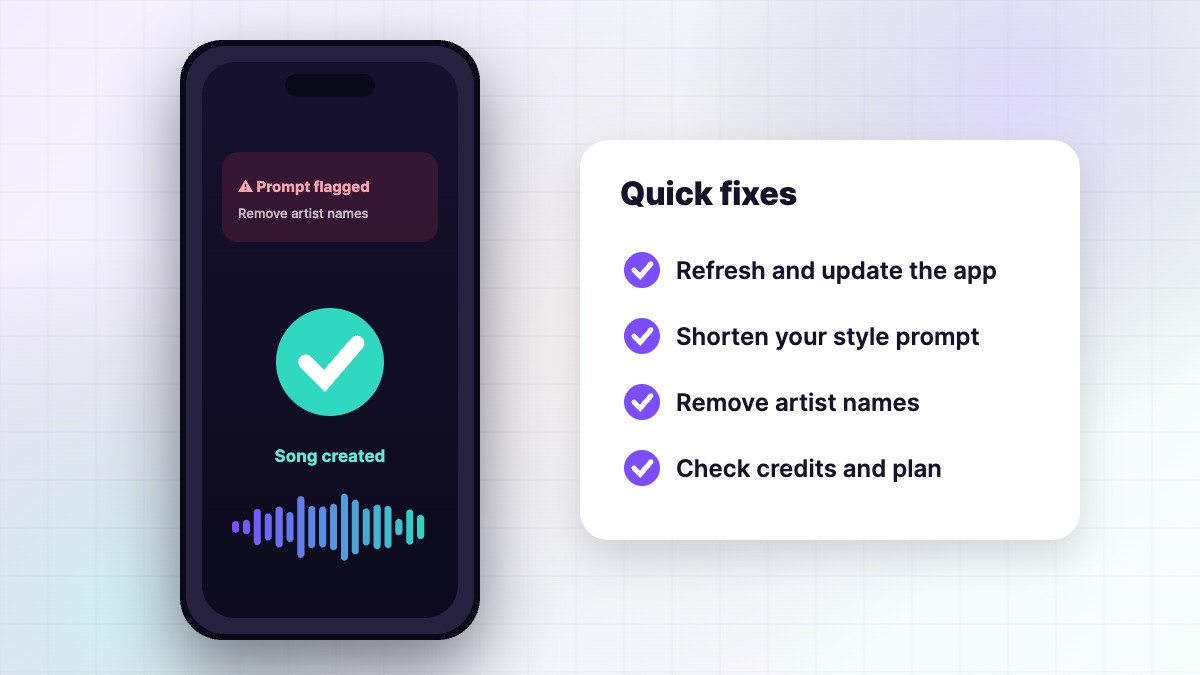
See YouTube’s official Content ID help.
Reason 1: Your own release is in Content ID
When you release a Suno song through a music distributor, it may offer “YouTube Content ID” monetisation. If enabled, YouTube will match that song in any video — including yours. Fix it by:
- Adding your channel to the distributor’s whitelist / allowlist.
- Whitelisting clients who licensed the song.
- Turning off Content ID for songs you use as background music.
Release steps are in our Spotify upload guide.
Reason 2: Someone else registered a similar track
AI music can occasionally sound similar to other AI tracks, and some people register AI songs in Content ID aggressively. If a claim names a company or track you don’t recognise and your song was made by you on Suno, dispute it. Explain that the song is your original work created on a paid Suno plan, include the song link and date, and note that you hold commercial rights under Suno’s terms.
Reason 3: A real match to copyrighted material
If you uploaded copyrighted audio to Suno, used copied lyrics or samples, or the song closely resembles an existing work, the claim may be valid. Don’t dispute valid claims. Instead, replace the music or remove the video. Prevent this by writing your own lyrics and never uploading other people’s songs. See Suno copyright explained.
How to dispute a claim, step by step
- Open YouTube Studio → Content → Copyright (or the video’s restrictions).
- Click See details on the claim and review the claimant and matched segment.
- Choose Dispute and select the reason that fits, such as original content or licence.
- Explain clearly: “This is an original song I created on a paid Suno plan on [date]. I hold commercial rights under Suno’s terms. Song link: [link].”
- Submit and keep a screenshot.
- If the claim is released, revenue usually returns to you; if it’s upheld and you still believe it’s wrong, consider the appeal options YouTube offers.
Be accurate and polite. False disputes can lead to penalties.
Evidence to keep for every song
| Evidence | Why |
|---|---|
| Suno song link | Shows creation on your account |
| Creation date | Proves timing |
| Plan receipt | Proves commercial rights |
| Lyric drafts and voice memos | Shows your human authorship |
| Distributor settings | Shows whitelisting choices |
Keep these in one folder per song. It takes minutes and saves hours.
How to avoid claims in the future
- Use songs made on Pro or Premier — see using Suno music on YouTube.
- Don’t enable Content ID for tracks you use as background music.
- Whitelist your channel and clients if you do enable it.
- Write original lyrics and avoid artist-style imitation.
- Never upload copyrighted audio to Suno.
- Avoid third-party “Suno downloaders” and other people’s songs.
If you get a copyright strike
A strike is more serious. If you believe it’s wrong — for example, someone claims your original Suno song — you can submit a counter-notification with your details. This is a legal process, so only do it when you’re confident, and consider legal advice. Never ignore strikes.
A real-world example
A creator released his Suno song through a distributor with Content ID turned on. A week later, his own music video was claimed by his distributor. He added his channel to the distributor’s whitelist, disputed the claim with his account details and the claim was released within days. For future releases, he turned off Content ID for tracks he planned to use in his videos.
What about monetisation?
While a claim is active, ad revenue may go to the claimant or be held. Resolving claims quickly protects your income. For the full picture, read monetizing Suno music on YouTube.
Should you use Content ID at all?
Content ID can help you earn when other people use your music. But for AI-assisted songs, many creators keep it off because claims on their own videos and clients cause more trouble than the small extra income. A balanced approach is to enable it only for songs you don’t use as background music, and always whitelist your own channel. Decide per song, based on how you plan to use it.
Whatever you choose, document it, so you remember which songs are registered when a claim appears months later.
Talking to your distributor
If a claim comes from your own distributor and whitelisting doesn’t work, contact their support with the video link, your channel ID and the song. Most distributors can release claims quickly when you prove the channel is yours. Ask how their AI-music policy handles Content ID, because some distributors limit Content ID for AI-generated tracks. Knowing their rules before releasing saves a lot of trouble.
Claims on client videos
If you sell custom songs or jingles made with Suno, your clients may get claimed too if the song is registered in Content ID. Before delivery, decide together whether the song will be released and registered at all. If it will, add the client’s channel to your whitelist and give them a short note explaining what to do if a claim appears: dispute with the licence details you provided, or contact you so you can release the claim through your distributor. Providing a simple licence letter with each delivery — song title, creation date, Suno plan and permitted uses — makes disputes fast and professional, and it reassures clients that your music is safe to use.
FAQ
Why did my own Suno song get claimed?
Usually because it was released through a distributor that registered it in Content ID.
Will disputing hurt my channel?
A valid dispute won’t, but don’t dispute claims you know are correct.
Can I get claimed for a free-plan song?
Free songs can’t be downloaded or used commercially, so they shouldn’t be in your videos.
How long do disputes take?
Claimants have a set period to respond; check YouTube Studio for the deadline.
Can I stop all claims?
Whitelisting and not registering tracks used in videos prevents most of them.
SunoMusicAI Guide is an independent website and is not affiliated with, endorsed by or sponsored by Suno, Inc. Features, prices and policies change often, so always check Suno’s official website for the latest details.

Leave a Reply